
Download IE9 Tweaker – Internet Explorer 9, browser customization, Windows tool, utility app, free tool, Internet Explorer enhancement, browser optimization, Windows utility, Internet Explorer customization
Overview
IE9 Tweaker is a free utility application designed for Windows users who rely on Internet Explorer 9. Its primary purpose is to enhance and customize the browsing experience by offering a suite of configuration options that were not readily available through the default browser settings. The app addresses common user frustrations such as the absence of a visible menu bar, limited control over browsing modes, and the lack of streamlined privacy and download management tools. By providing direct access to these settings, IE9 Tweaker helps users tailor the browser to their workflow and personal preferences.
Target users include individuals who prefer the traditional interface of older browsers, professionals managing multiple web tasks on limited bandwidth, and users concerned about online privacy. The app is particularly beneficial for those who find the minimalist design of IE9 restrictive and wish to restore familiar navigation tools. Real-world use cases range from creating a distraction-free environment via fullscreen mode to managing downloads efficiently in low-bandwidth scenarios. IE9 Tweaker fills a niche in the Windows utility ecosystem by extending the functionality of a legacy browser, ensuring it remains usable and adaptable for users who have not transitioned to modern alternatives.
The developer, IE9 Tweaker, did not provide additional technical or organizational details. The app was released in October 2010, indicating it was created during a transitional phase in web browser development. Despite its age, it continues to serve a specific user base that values customization and control over their browsing environment.
Key Features & Functionality
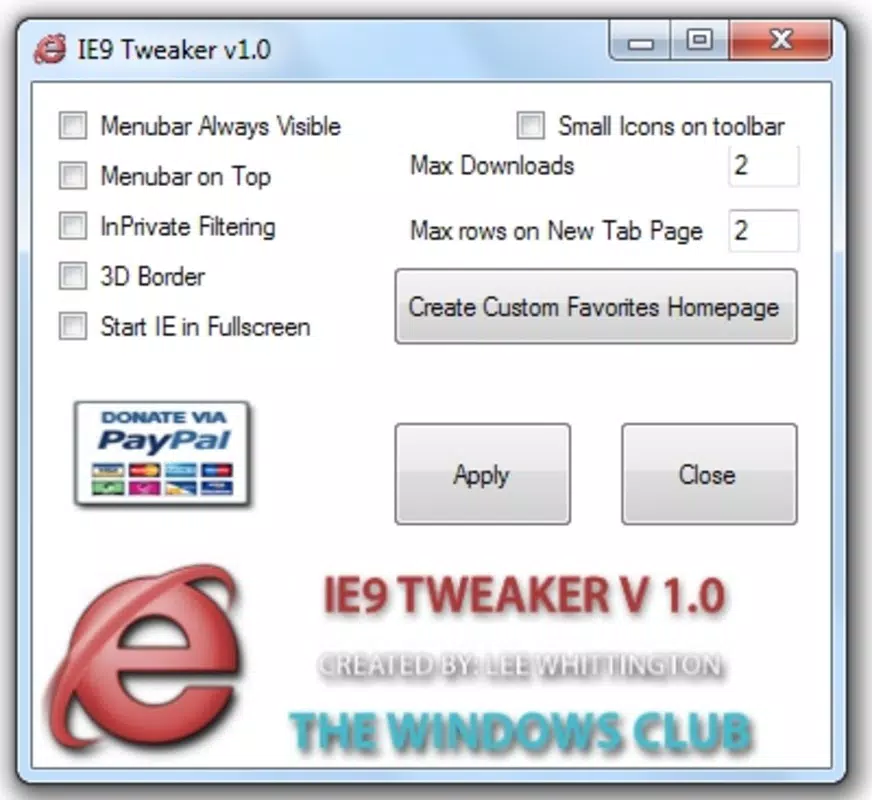
- Menu Bar Restoration: IE9 Tweaker enables users to restore the classic menu bar in Internet Explorer 9, which was hidden by default in the browser’s streamlined interface. This feature improves accessibility to essential tools like File, Edit, View, and Tools, offering a more familiar experience for users accustomed to earlier versions of the browser.
- Fullscreen Mode Activation: The application allows IE9 to launch directly in fullscreen mode, eliminating toolbars and address bars to maximize screen space. This is ideal for presentations, media consumption, or any scenario where uninterrupted focus on web content is desired.
- Automatic Private Browsing: IE9 Tweaker can configure the browser to start in private browsing mode by default. This enhances user privacy by preventing the storage of browsing history, cookies, and temporary files, making it suitable for shared or public computers.
- Download Limitation Control: Users can reduce the number of concurrent downloads allowed by IE9. This helps conserve bandwidth and prevents network congestion, especially on slower or metered internet connections.
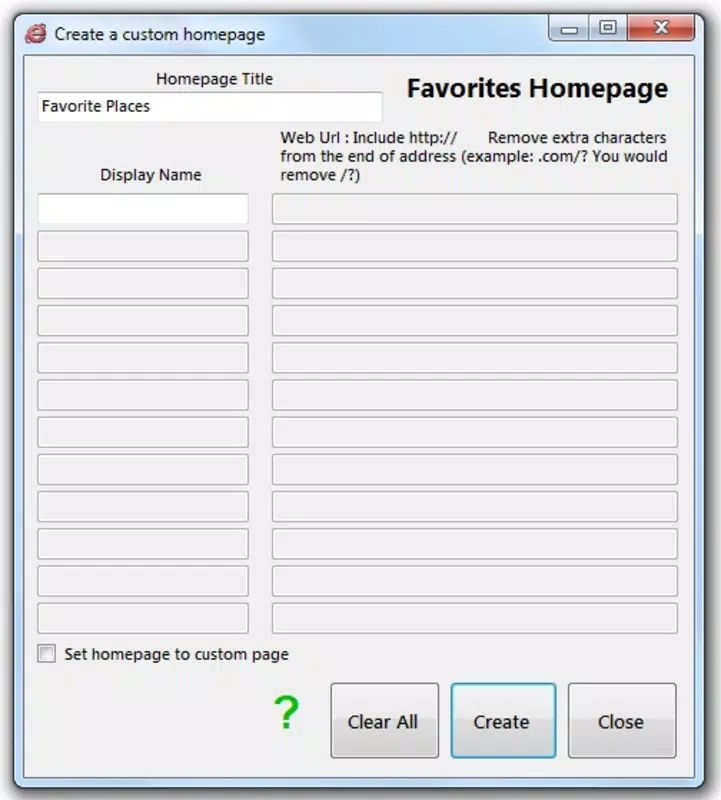
- Custom Favorites Page: The app includes a feature to create a personalized homepage populated with frequently visited websites. This shortcut hub improves browsing efficiency by enabling quick access to essential resources with a single click.
Each feature is designed to solve a specific usability challenge. For example, restoring the menu bar benefits users who rely on keyboard shortcuts or find the ribbon interface less intuitive. The custom favorites page streamlines daily workflows for researchers, students, and content curators who access the same sites repeatedly.
Interface, UX & Performance
IE9 Tweaker features a straightforward, no-frills interface that focuses on functionality over visual polish. The main window presents a clean list of available options, each accompanied by a toggle or dropdown menu for activation. Navigation is linear and intuitive, with minimal cognitive load required to configure settings. Users can apply changes immediately, and the interface does not require extensive training or documentation.
Although the developer did not list formal performance metrics, the application’s lightweight footprint of 2.5 MB suggests minimal system impact. It runs efficiently on older Windows systems, likely without causing noticeable slowdowns. Responsiveness is consistent with its design goals—fast execution and low resource consumption. Stability appears reliable based on its long-standing presence in the utility space, though no official updates have been released since 2010.
Performance on different device categories is not formally documented. However, given its compatibility with Windows and small file size, it is expected to function across a broad range of hardware, including systems with limited processing power and memory. The app does not appear to rely on advanced graphics or background services, which contributes to its consistent behavior.
Platform Compatibility & Technical Requirements
IE9 Tweaker is designed exclusively for the Windows operating system. The app is compatible with Windows platforms that support Internet Explorer 9, though specific OS versions were not listed by the developer. The application size is 2.5 MB, indicating a lightweight installation that does not require significant disk space.
Although the developer did not specify minimum OS requirements, it is reasonable to assume compatibility with Windows 7 and later, given the release date and the browser version it targets. The software version is 1.0, and the app is distributed as a free tool with no in-app purchases or subscription models.
Compatibility information was not fully disclosed. Users should verify system compatibility before installation, especially on newer Windows versions where Internet Explorer 9 may no longer be supported or enabled by default.
Pros and Cons
Pros
- Free to download and use with no hidden costs
- Lightweight at only 2.5 MB in size
- Restores classic menu bar for improved navigation
- Offers automatic private browsing for enhanced privacy
- Enables fullscreen mode for distraction-free browsing
- Allows control over concurrent downloads to manage bandwidth
- Supports a custom favorites page for quick access to preferred sites
Cons
- Not updated since 2010, raising concerns about long-term compatibility
- Compatibility with modern Windows versions is uncertain
- No official support or developer communication channels
- Designed specifically for Internet Explorer 9, which is no longer supported
- Limited to Windows platform with no cross-platform availability
FAQ
Is IE9 Tweaker safe to download and install?
Yes, the application is free and has been widely used since its release in 2010. However, users should ensure they download it from a trusted source to avoid modified or malicious versions.
Can I use IE9 Tweaker on Windows 10 or Windows 11?
Compatibility with Windows 10 or 11 is not officially confirmed. The app was designed for older Windows versions and may not function properly on newer systems where Internet Explorer 9 is disabled or unsupported.
Does IE9 Tweaker require an internet connection to work?
No, the tool operates offline after installation. It modifies local browser settings and does not require an active internet connection to function.
Are there any updates available for IE9 Tweaker?
As of the latest information, no updates have been released since 2010. The app remains in its original version (1.0) without any official patches or enhancements.
Can I uninstall IE9 Tweaker without affecting Internet Explorer?
Yes, IE9 Tweaker only modifies browser settings and does not alter core system files. Uninstalling the tool will revert the browser to its default configuration, with no lasting impact on Internet Explorer.
Final Thoughts
IE9 Tweaker remains a niche but functional utility for users still relying on Internet Explorer 9. While its age and lack of updates are notable limitations, the app delivers on its core promise: enhancing browser customization and usability. For those who value control over their browsing environment and are unwilling or unable to transition to modern browsers, IE9 Tweaker offers a practical solution.
Its lightweight design, free access, and targeted features make it a valuable tool within its specific context. However, users should be aware of the risks associated with using outdated software on current systems. If you are using Internet Explorer 9 for legacy applications or specific workflows, IE9 Tweaker can significantly improve your experience.
Download IE9 Tweaker now


